

Page last updated on .
What Pixel Inspector does
Pixel Inspector is a Firefox extension that shows a page's marketing stack and every Meta, Google and other tag event it fires, with parameters and setup problems. We built it for QA on client sites: checking that tags are installed and firing correctly, and which events each click triggers.
Click the toolbar icon, or press Alt+Shift+M, to open the inspector as a sidebar. It logs events live as they fire and switches to whichever tab you're on. The badge on the icon shows the number of events on the tab, and turns red when an event has an error.
The Stack tab
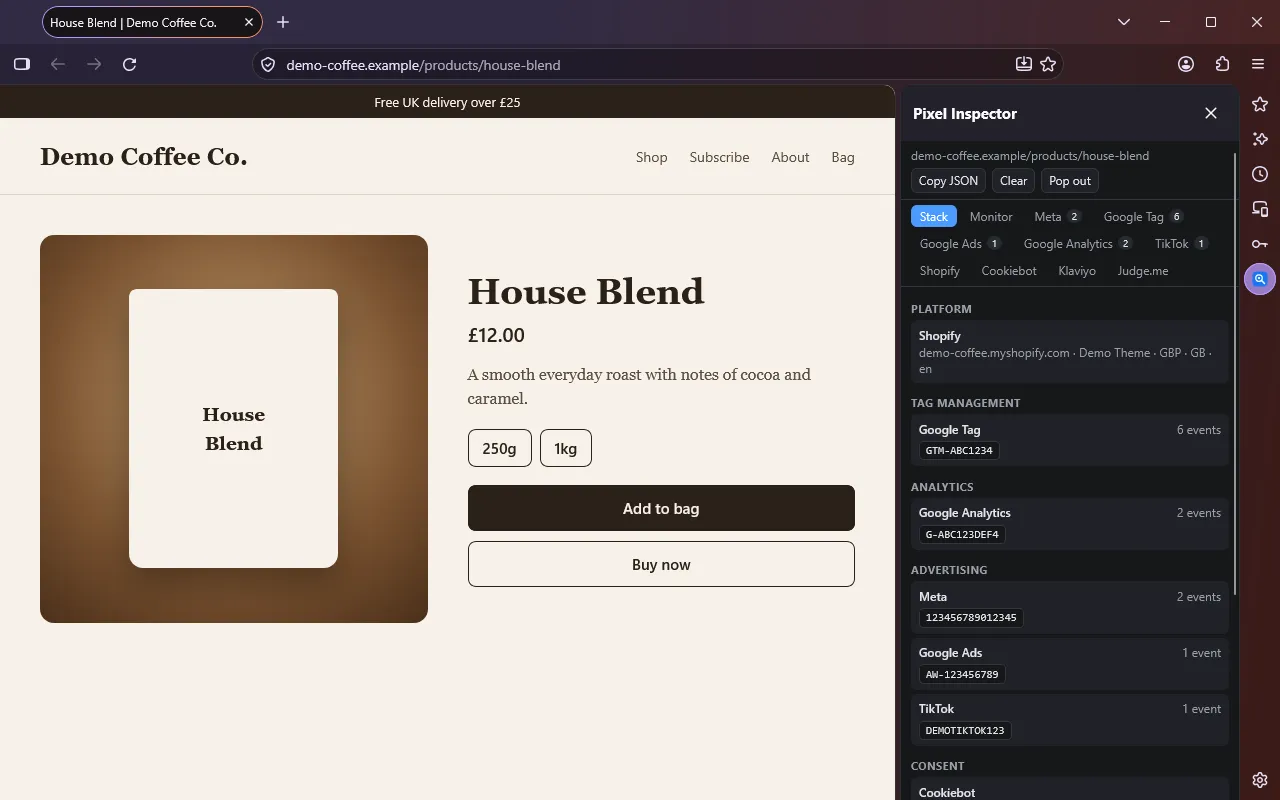
The Stack tab lists everything found on the page in view, grouped by type: platform (Shopify store, theme, currency), tag management (GTM and Google tag IDs, Stape), analytics (GA4 IDs, Clarity, Hotjar), advertising (Meta pixel IDs, Google Ads IDs, TikTok, Pinterest and others), consent tools, email, reviews and site tools. It also shows Google's current consent state. Click a row to open that tool's tab, or an ID to copy it.
A tab for each tool
Meta, Google Tag, Google Ads and Google Analytics come first, then one tab for anything else found.
- Event list. Grouped by page load or route change. Click a row for its issues, parsed data and every raw parameter.
- Issues. Problems across events, such as an unexpected pixel ID, failed or blocked requests, duplicate transaction or event IDs, or a pixel that initialised but sent nothing.
- Expected pixel IDs. Paste the pixel ID you expect on the Meta tab and any other ID is flagged as an error.
- Google Tag lists container loads and every
dataLayerpush. - Google Analytics splits batched hits into separate events and includes hits sent through server-side setups.
- Keep log across page loads. On by default, so you can follow a product, cart, checkout and thank-you journey.
- Copy JSON or pop out. Copy the current tab's data, or open the inspector in a full tab.
The Monitor tab: which events each click fires
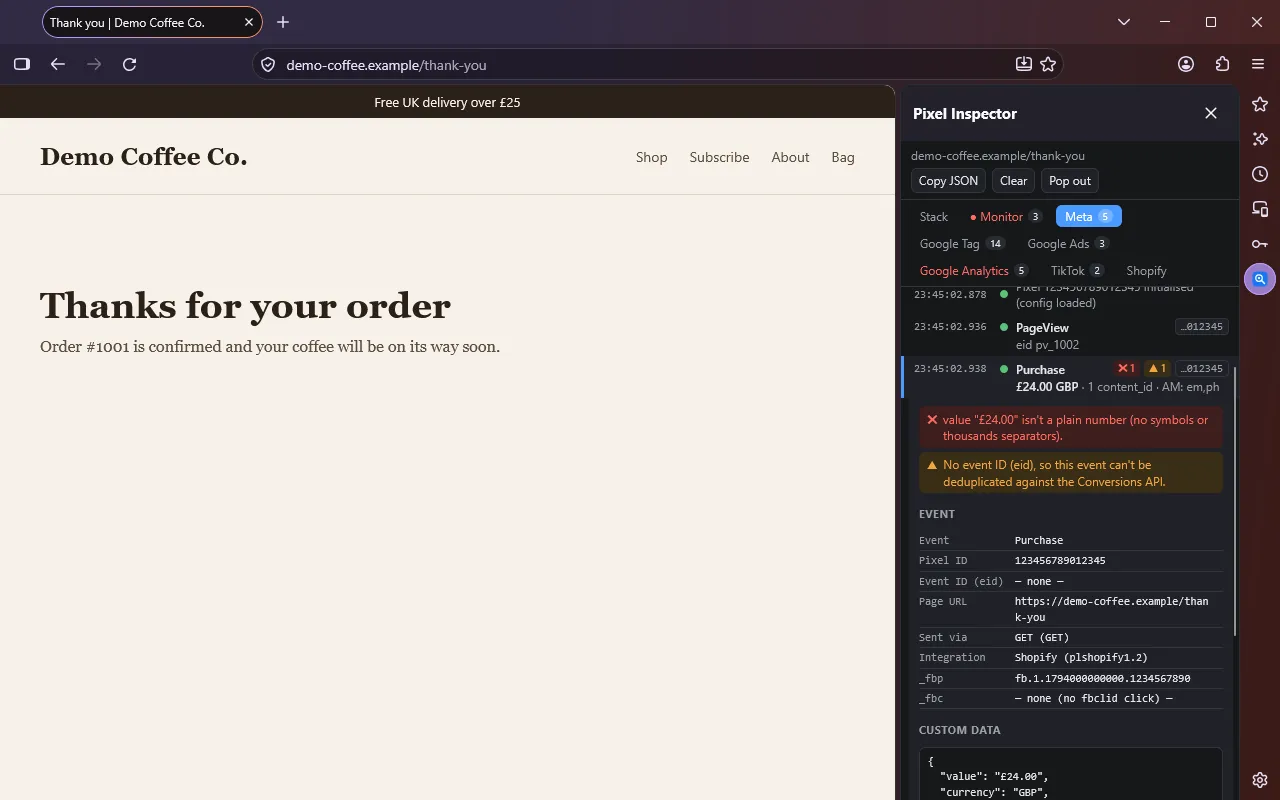
Press Start monitoring and click around the page. Each click gets a card showing what you clicked and every event it triggered across all platforms, with the delay in milliseconds. "Nothing fired after this click" means no tag responded. If the click opens a new page, that page's first events stay on the same card.
An event counts as caused by a click if it fires within 2.5 seconds of it (6 seconds for Google Analytics, which sends in batches). This is timing-based, so events can land on the wrong card if you click again quickly.
What it checks on each event
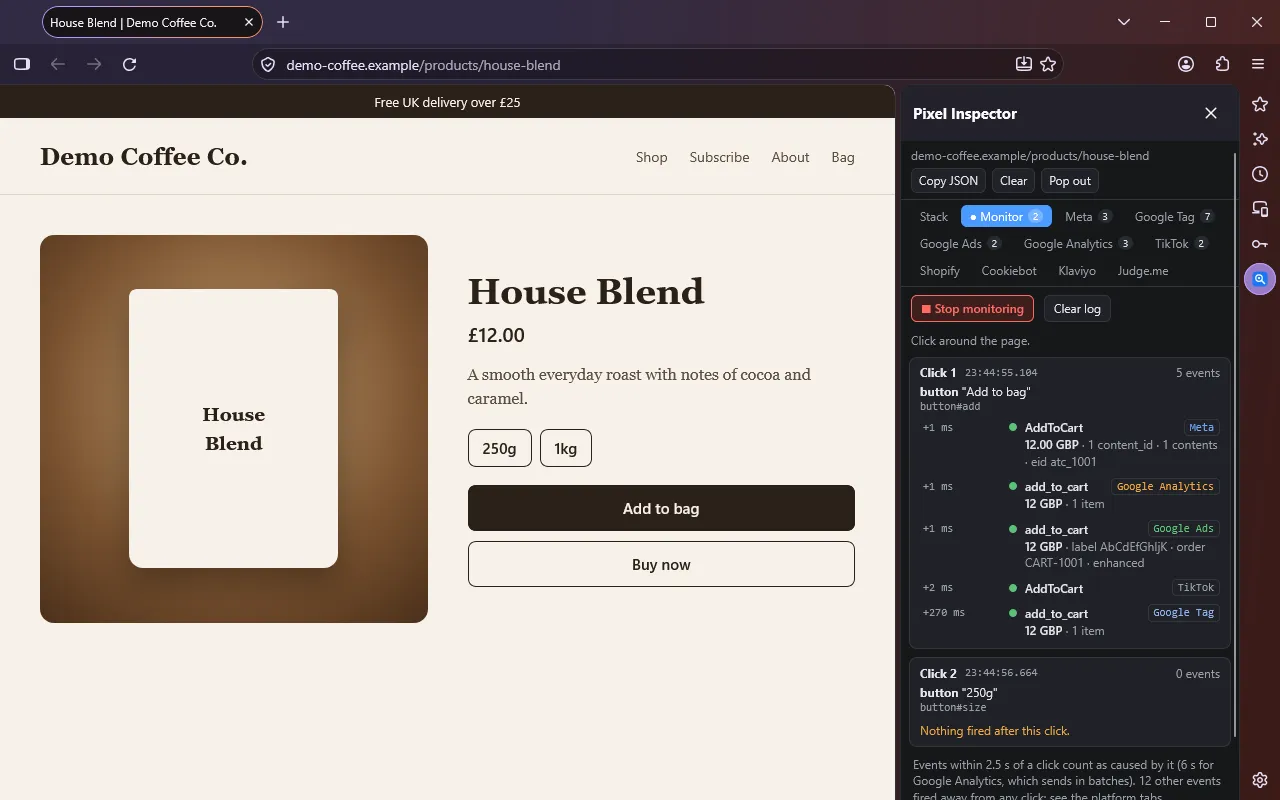
Meta pixel events are checked at three levels:
| Level | Check |
|---|---|
| Error | No pixel ID or event name; pixel ID not in your expected list; request failed or was blocked |
| Error | value isn't a plain number (for example £1,200); value sent without currency; Purchase missing value or currency |
| Warning | Lowercase or non-ISO currency; Purchase value of 0; AddToCart, InitiateCheckout, AddPaymentInfo, Subscribe or StartTrial without value or currency |
| Warning | ViewContent, AddToCart or Purchase without content_ids, contents or content_type, which catalogue ads need |
| Warning | Purchase without an event ID, so it can't be deduplicated against the Conversions API; a mistyped standard event such as add_to_cart; an identical event within 1.5 seconds |
| Info | Other events without an event ID; no advanced matching on conversion events; custom events; no _fbp cookie |
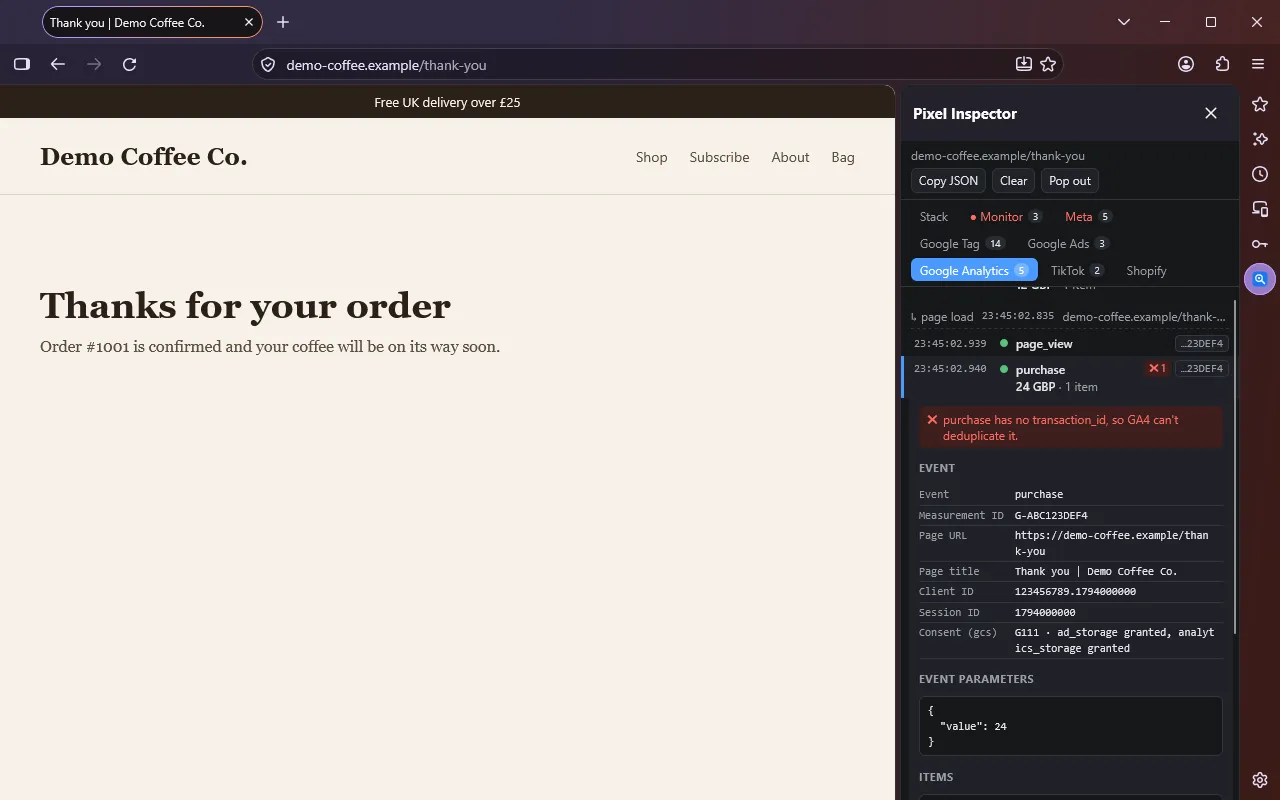
Google Analytics: purchase missing transaction_id, value or currency; value not a
number or sent without currency; e-commerce events with no items; invalid event names; duplicate transactions;
repeat page_view events; Universal Analytics hits.
Google Ads: conversions without an order ID or enhanced conversions data; value without
currency; duplicate conversions; hits sent with ad_storage denied.
What it can't see
- Events sent only server-side, through the Conversions API or a server container, never touch the browser, so they don't appear. Use Test Events in Meta Events Manager for those.
- Meta pixels proxied through a first-party domain aren't captured, because the requests don't go to
facebook.com/tr. - Detection covers a list of known tools, so anything not on it won't appear.
- Tools other than Meta, Google Ads and Google Analytics show events and raw parameters without setup checks.
Privacy and permissions
Nothing is sent anywhere, and the log lives in memory until you close the tab or restart Firefox. Firefox asks
for access to all websites when you install it. That is needed because Firefox only shows an extension a tag's
event requests if the extension can also access the site sending them. Pixel Inspector reads requests that match
known marketing tools, the dataLayer, and a few page globals such as Shopify and
fbq. With monitoring on it also notes what you clicked (element, label, link), but never what you
typed.
Seeing nothing?
- Reload the page after installing or updating. Events that fired before the inspector was listening aren't captured.
- On sites with a consent banner, tags may wait until you accept.
- Firefox doesn't run add-ons in private windows by default. Allow it under
about:addons, Pixel Inspector, Run in Private Windows. - The Stack tab shows what the inspector can see on the page, and the platform tabs list events even when no click is linked to them.